
A 10-K filing is a comprehensive annual report required by the US Securities and Exchange Commission (SEC). A company’s 10-K filing is a key indicator of its financial health. It can tell you whether the company is flatlining, stable, or somewhere in between. You can find a company’s 10-K on their “Investor Relations page” or by using the SEC’s EDGAR database. However, clicking through multiple company websites may not be the best use of your time. SEC’s EDGAR database keeps everything in one place, but its website is not always user-friendly. Instead of slogging through a laggy “Investor Relations” page or navigating EDGAR, use SEC Filing Data. SEC Filing Data’s user-friendly search tool scans the EDGAR database for you and keeps the 10-K filings you need at your fingertips. You can even download your SEC filings straight from our website for your convenience.
Using SEC Filing Data to find 10-K filings
Try SEC Filing Data to get your 10-K quickly. Unlike other filing search tools, SEC Filing Data is free, so you can save time and money. There are three ways in which you can search for 10-K filings on the site, as follows:
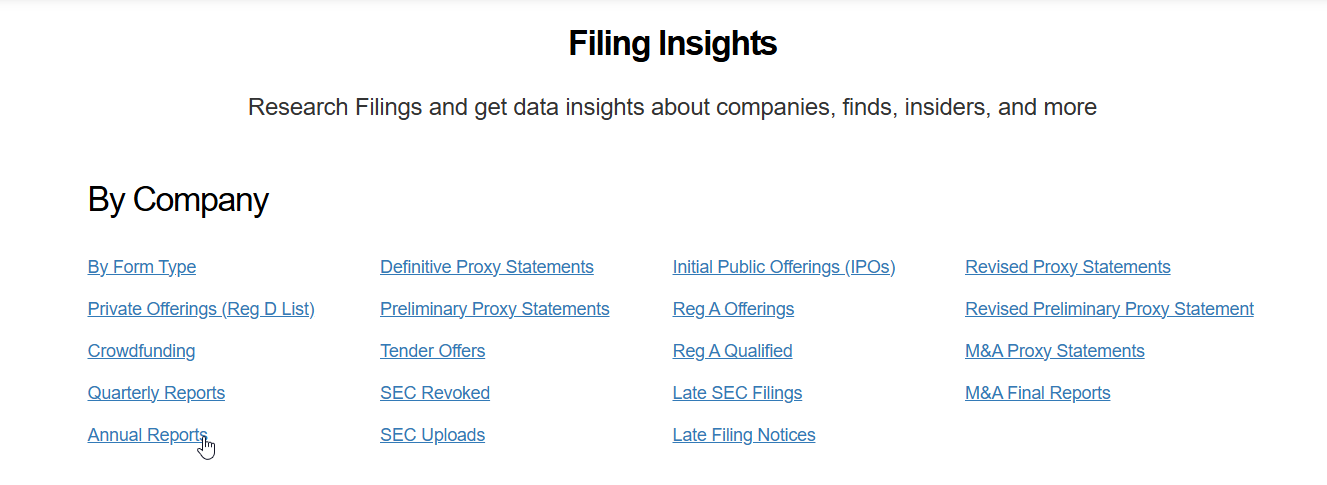
1. Search “Annual Reports” on our Filing Insights page
If you do not have a specific company in mind, try our filing insights! Here, you can find a list of all recent 10-K filings and annual reports.
- Go to secfilingdata.com
- Select Filing Insights at the top of your screen
- Select Annual Reports under By Company on the left side of your screen
4. To view a specific 10-K filing, Select View under Actions
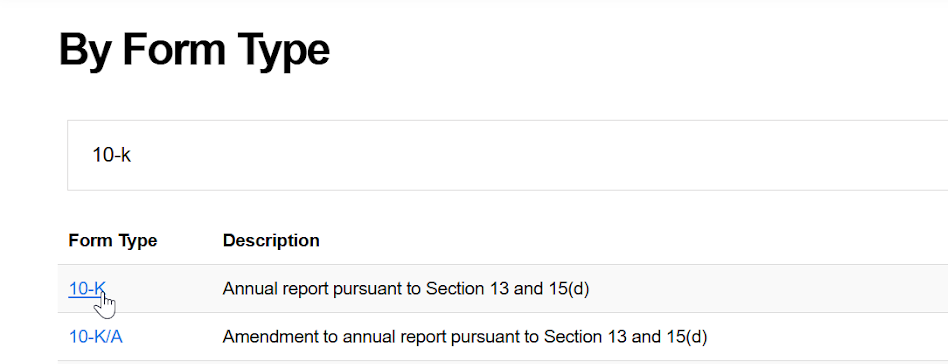
2. Search for 10-Ks on Form Type page
Searching by form type will give you a list of all recent 10-K filings. If you find a company you want to keep track of, you can sign up for our free SEC filing email alerts!
- Go to secfilingdata.com
- Select Forms List at the top of your page
- Type “10-K” into the search bar
- Press Enter on your keyboard or select the magnifying glass.
- Below the search bar, select 10-K from the search results
6. To view a specific 10-K filing, select View under Actions
3. Searching for a Specific Company’s 10-K
You can search by company if you only want to see a specific company’s 10-K filings. Searching by company lets you get to the filing you need without scrolling through irrelevant filings.
- Go to secfilingdata.com and type your company name, ticker, or CIK into the search box
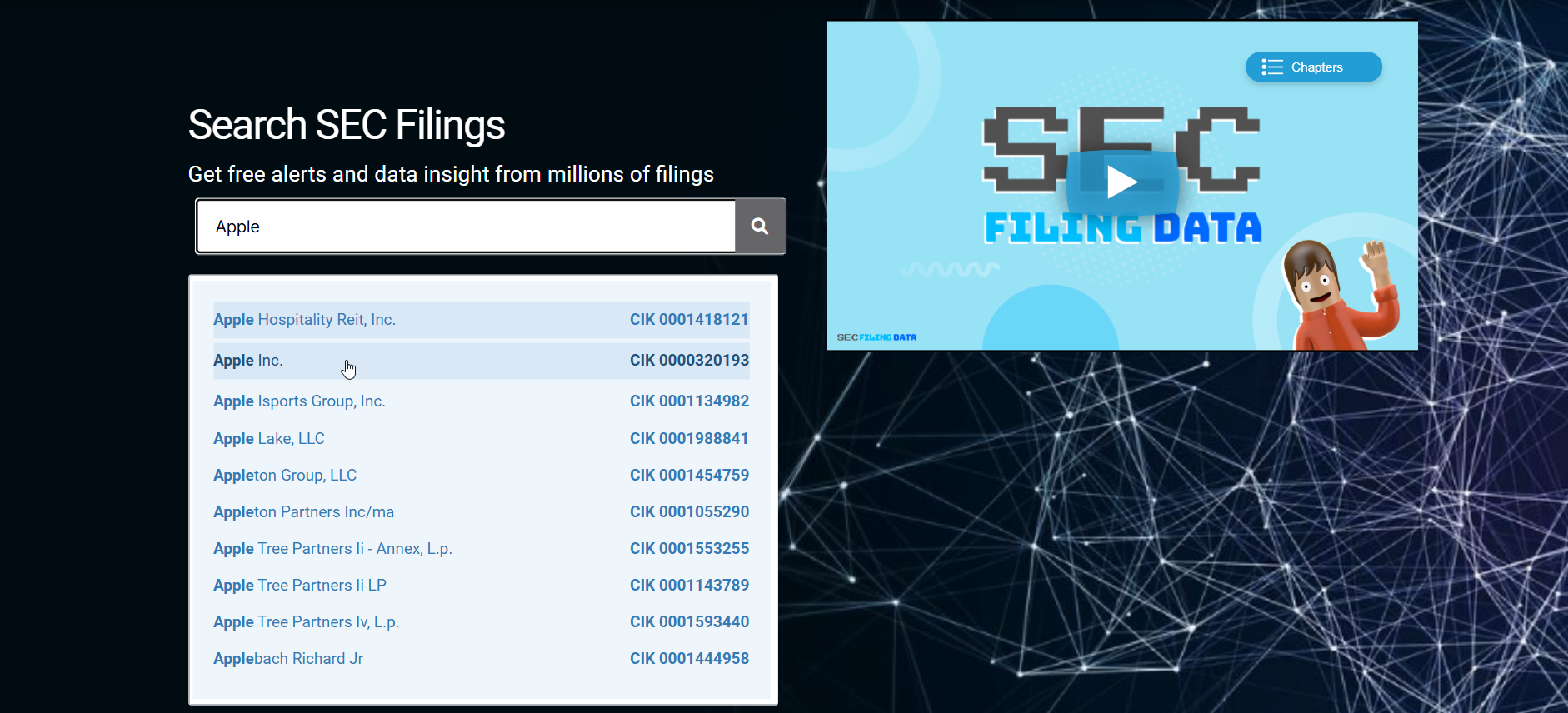
2. Press Enter on your keyboard or select the magnifying glass
3. Select your company name from the menu
4. Select Allnext to Form Type to open the drop-down menu
5. Select 10-K next to Form Type
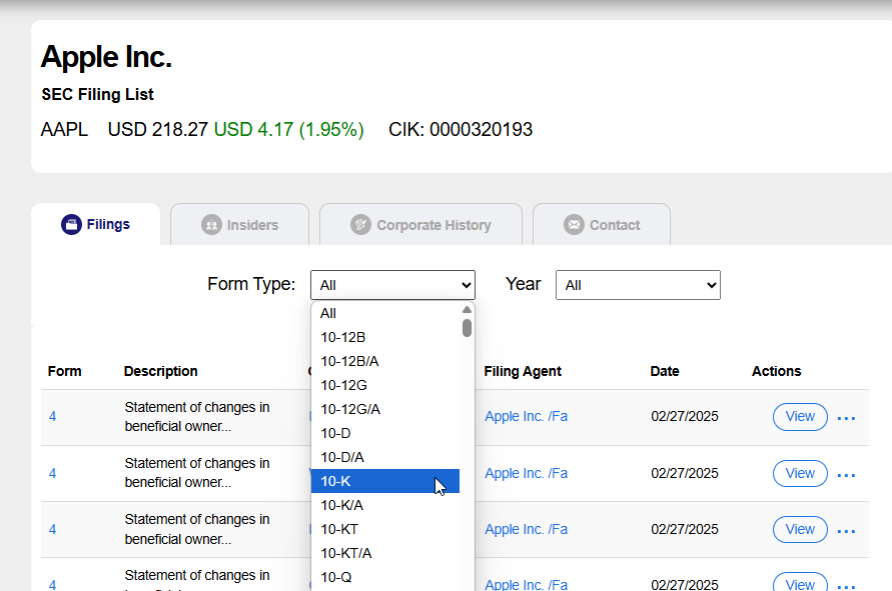
6. To view a specific 10-K filing, select View under Actions
7. If you are prompted to log in, log into your account or sign up for a new one
Note: If your company does not appear in the search results, it may be private. Private companies do not need to file Form 10-K. Look your company up on the New York Stock Exchange (NYSE) to see if it is private. If it is not listed in the NYSE, it is private and is not required to release its financial statements. If it is listed in the NYSE, it is public and must release its financial statements.
Using SEC EDGAR System to Find 10-K Filings
EDGAR is also a solid option to get to your 10-K filings, but it can be tricky to navigate. Make sure you follow the instructions below closely. You can always use the back button to undo any mistakes. There are two ways you can find a 10-K on the SEC’s website, as follows:
1. Searching by Form Type
If you just want to see the latest 10-K filings, you can search by form type. SEC EDGAR’s filing list shows you the most recent filings first and goes as far back as 2001.
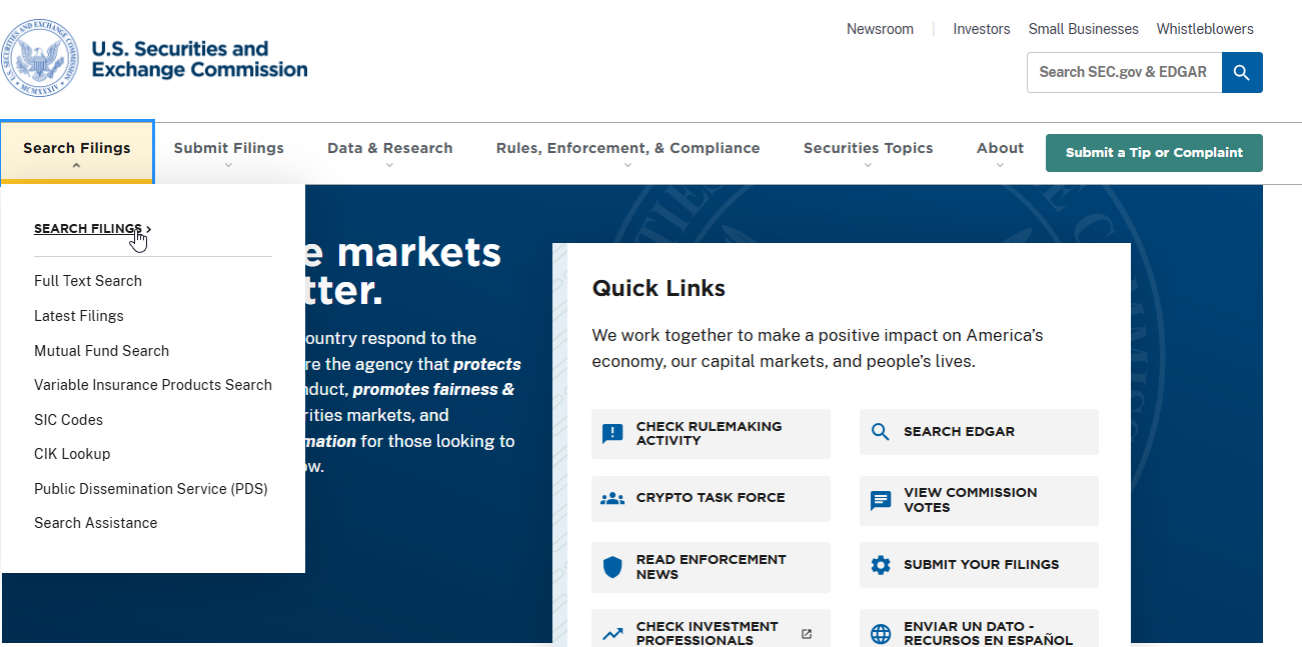
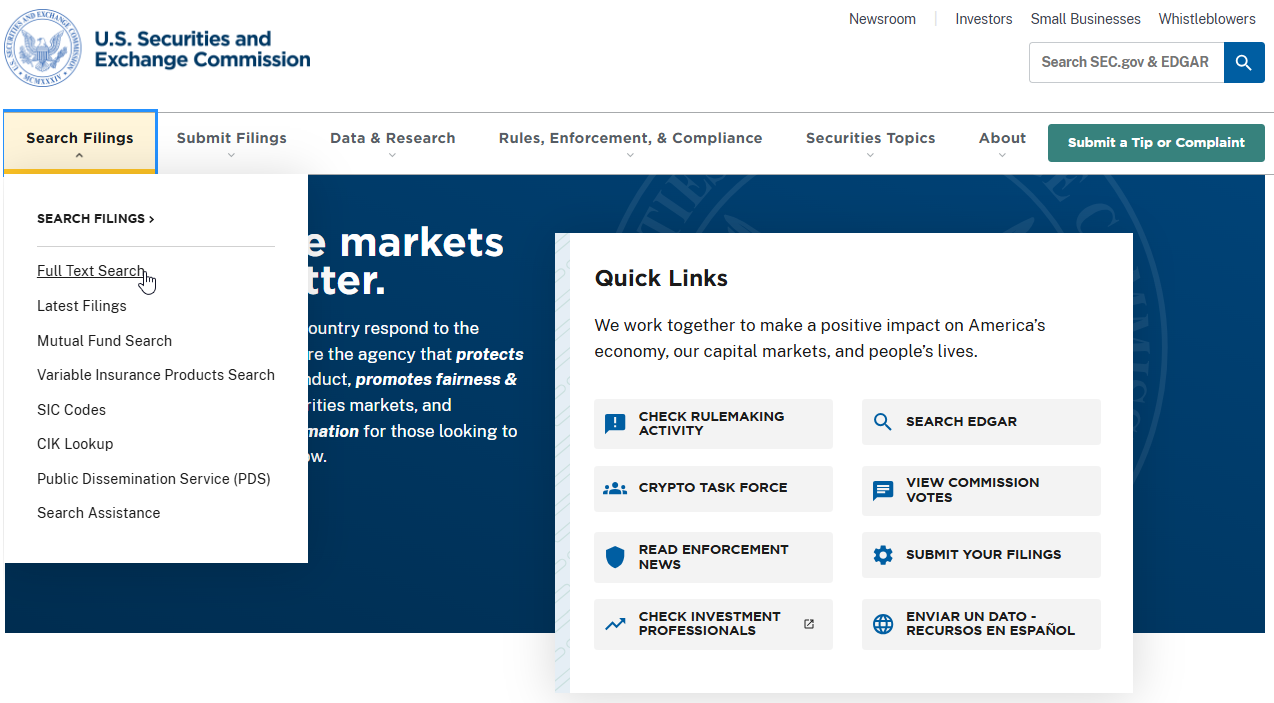
- Go to sec.gov and select Search Filings near the top of your page
- Select Full Text Search in the drop-down menu
3. Select more search options under the search bar
4. Select Browse filing types next to Filing category
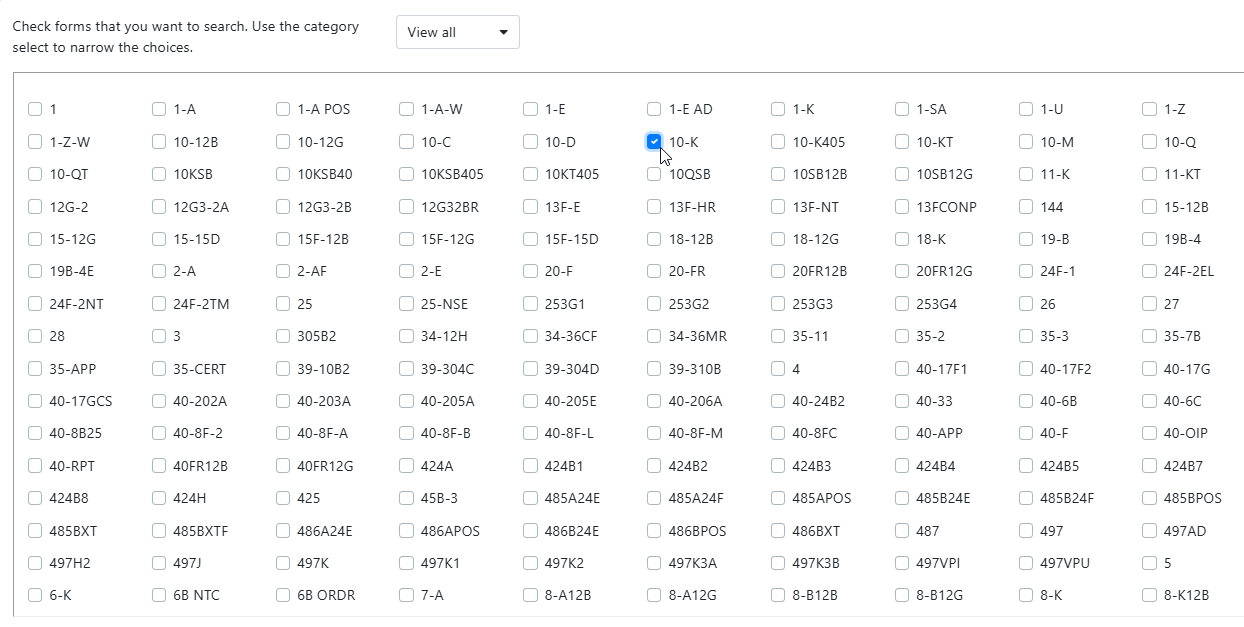
5. Check the box next to 10-K
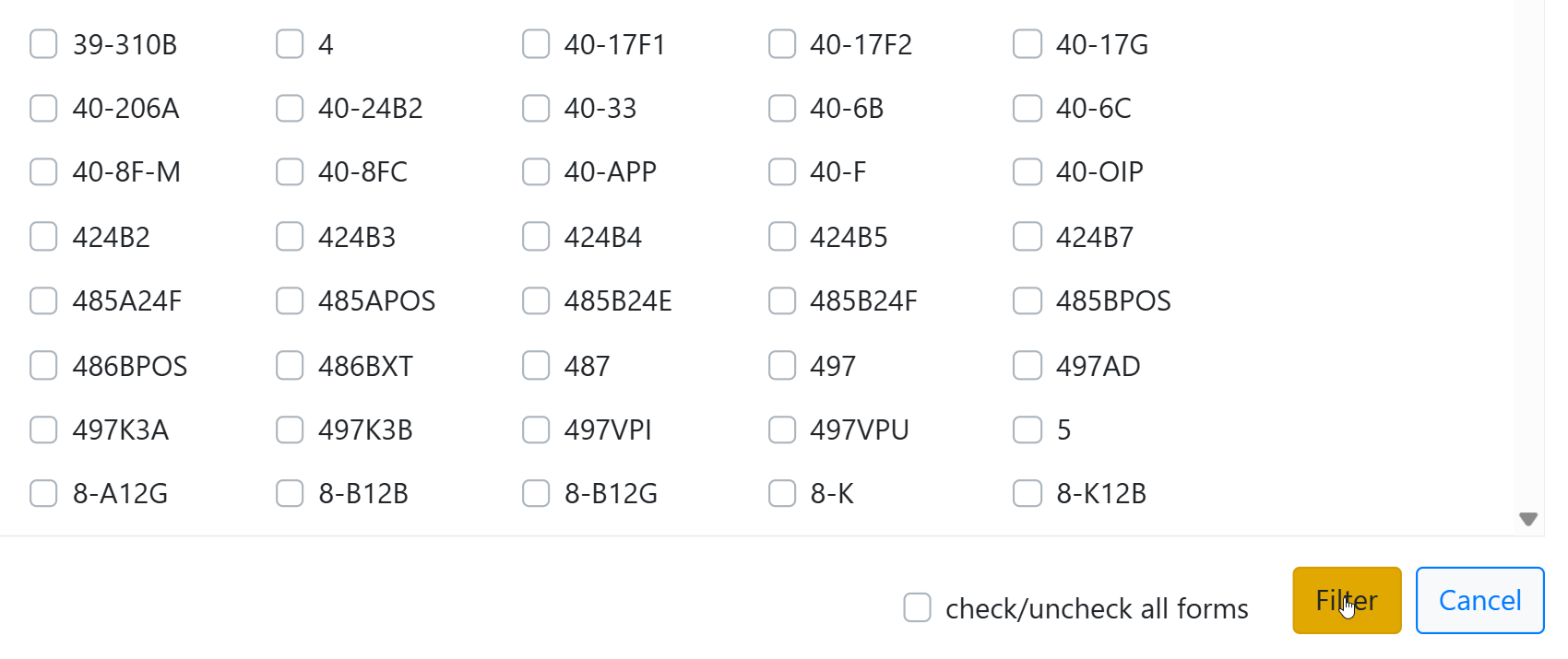
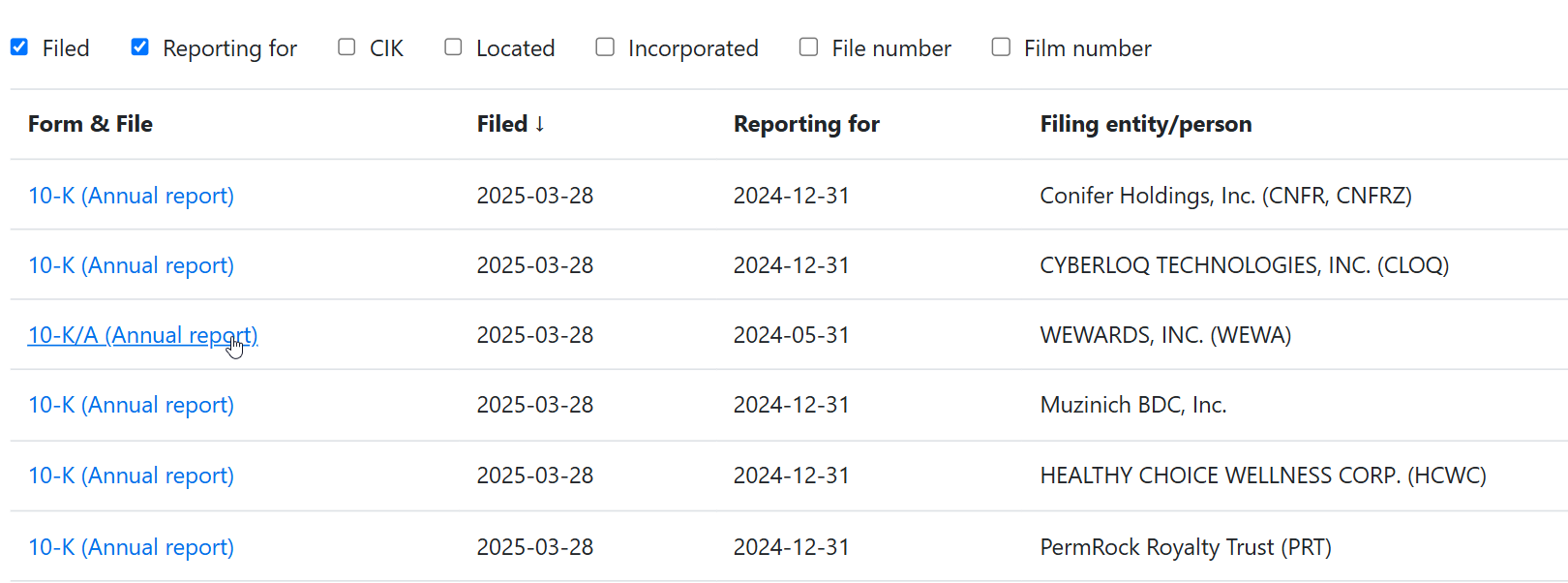
6. Select Filter on the bottom right corner of your screen to see a list of recent 10-K filings
 7. To view a specific 10-K filing, select 10-K/A (Annual report) under Form & File
2. Searching by Company
SEC Edgar also lets you run your SEC filings search by company. This is a good option if you only want one or two 10-K filings.
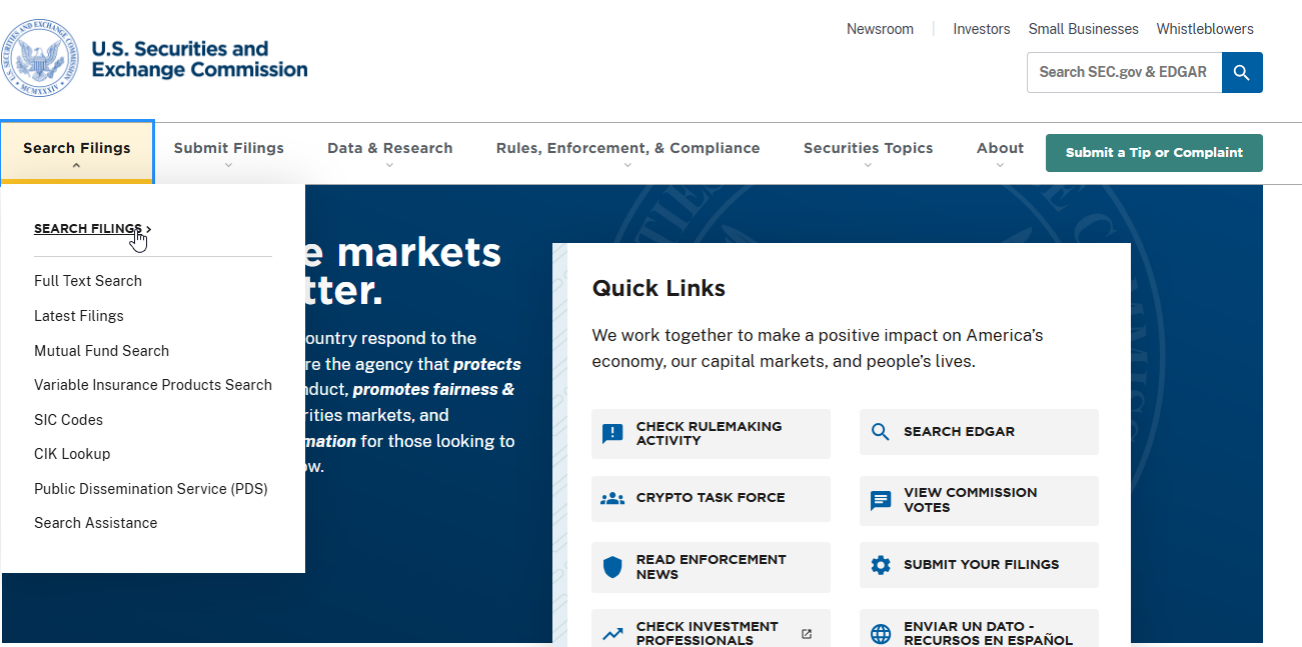
- Go to sec.gov and select Search Filings near the top of your page
- Select Search Filings in the drop-down menu

- Type your company name, ticker, or CIK into the search box
- Select Submit next to the search box
- Find your company name in the search results and select its CIK
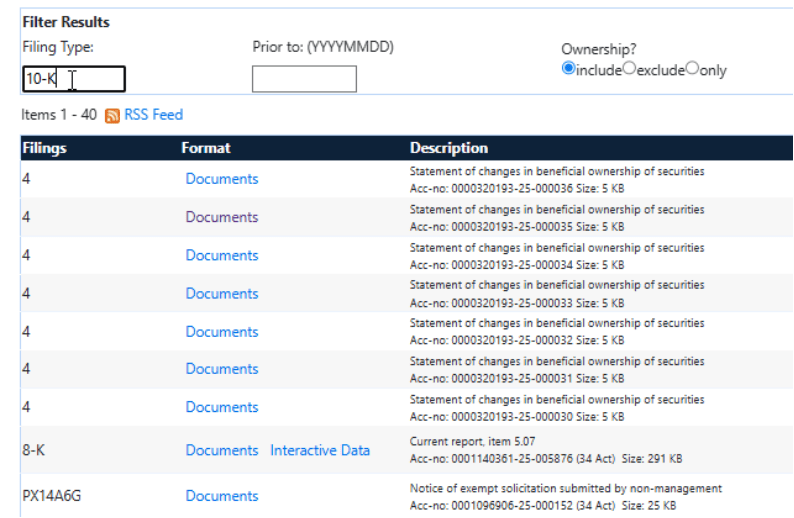
- Type “10-K” under Filing Type and press Enter on your keyboard
- Select Documents below Format
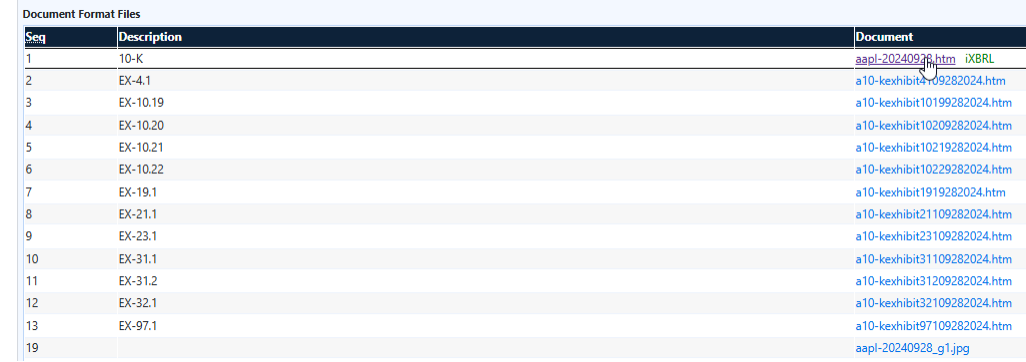
- To view your company’s 10-K filing, select the first linked iXBRL file under Document
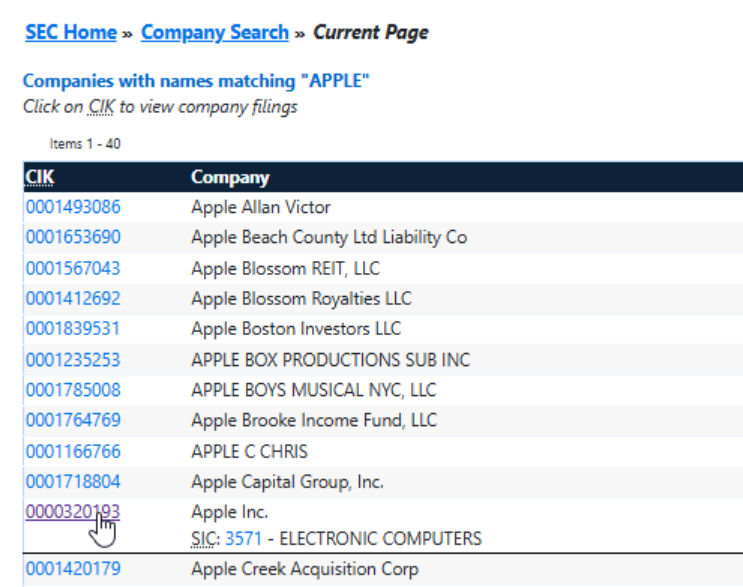
Note: EDGAR does not have autocorrect. If your public company is not listed, check the spelling! The company may also file under a different name from its public name. For example, Apple is Apple Inc.
